
Reviews
Part of Parental controls buy time, not safety, and someone should plan the exit
How parental controls tools differ, and which to pick
Parental control tools differ by what they watch and who holds the record, so compare named products on reach, exit and price before you install one.
Every product page in this category is written for the parent. Read it from your teenager's chair instead, and a feature list turns into a description of what living under that control would be like.
It also predicts which controls get defeated first. The ones a child agreed to survive longest.
The parental control tools most households compare split by the layer they watch: the device, the network, or the account. Apple Screen Time, Google Family Link and Microsoft Family Safety cost nothing to start. Bark, Qustodio, Aura, Canopy and Circle are paid subscriptions.
What to take away
- Compare tools by reach, not by feature counta device tool sees one phone, a router tool sees one house, a carrier tool sees one phone number.
- Apple Screen Time and Google Family Link are free and built into the phone. Bark, Qustodio, Aura and Canopy are paid, and each watches a different layer.
- Anything sold as hidden, stealth or undetectable is built for use without consent. Skip it.
- A tool you can loosen one setting at a time can join the handover as your child ages. A tool that is on or off cannot.
- No dashboard reports how your child is doing. That still comes from asking.
The named tools, and what each one actually watches
The market splits by layer before it splits by brand. Know which layer you are buying.
Tools by layer and price
Tool
- Apple Screen Time
- iPhone or iPad
- Google Family Link
- Android devices
- Microsoft Family Safety
- Windows, Xbox
- Bark
- Messages and apps
- Qustodio
- Device activity
- Aura
- Filtering and screen time
- Canopy
- App content filtering
Layer watched
- Apple Screen Time
- Free
- Google Family Link
- Free
- Microsoft Family Safety
- Free
- Bark
- About $99 a year
- Qustodio
- About $55 a year
- Aura
- $10 to $15 a month
- Canopy
- About $8 a month
Pricing
- Apple Screen Time
- Google Family Link
- Microsoft Family Safety
- Bark
- Qustodio
- Aura
- Canopy
The named tools
| Tool | Layer it watches | Pricing model | Suits |
|---|---|---|---|
| Apple Screen Time | The iPhone or iPad, through the child's Apple account | Free, built into iOS, iPadOS and macOS | Families already on Apple devices |
| Google Family Link | Android devices and the child's Google account | Free, on Android and Chromebook | Android households, younger children |
| Microsoft Family Safety | Windows PCs, Xbox and Android, through a Microsoft account | Free with a Microsoft account | Households with Windows or Xbox |
| Bark | Content in messages and apps, by keyword and pattern | Subscription, typically about $99 a year for one child or about $14 month to month | Parents who want alerts rather than blocks |
| Qustodio | Device activity, filtering and time limits across phones and computers | Free tier for one device; paid tiers typically about $55 a year for five devices, about $100 for more | Mixed-device households |
| Aura | Filtering and screen time bundled with identity and privacy tools | Subscription, typically about $10 to $15 a month, less if billed yearly | Families who want one bill for several tools |
| Canopy | Content filtering that runs across a device's apps | Subscription, typically about $8 a month or about $96 a year, family plan higher | Parents whose main worry is what gets through |
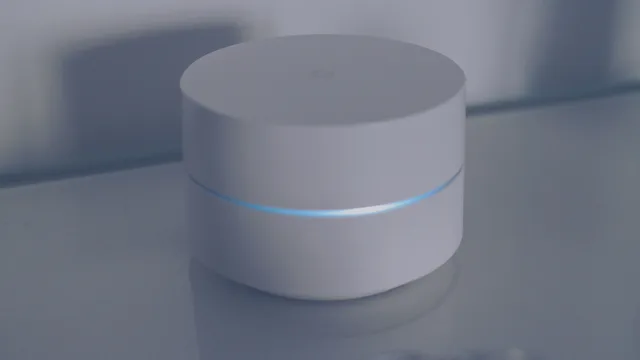
| Circle | The home network, through its own hardware at the router | Subscription with hardware, typically around $10 a month | Parents who want one switch for every device on Wi-Fi |
Check current prices on each vendor's own page before you buy. They change, and the numbers above are typical ranges rather than quotes. Bark bills per child. Qustodio bills by how many devices you cover.
The layer matters more than the brand. Bark reads message content and sends an alert. Screen Time blocks and limits. Family Link does the same on Android. Circle sits at the router, so it stops at your front door and does nothing once the phone is on cellular data.
Qustodio and Aura watch the device itself, so coverage stops at the screens you install them on. Canopy filters inside the apps on that device. Microsoft Family Safety is strongest on Windows and Xbox.
Sort the feature list by who it serves
Sort the feature list
| The feature | Who it mostly serves | What it costs in trust |
|---|---|---|
| Downtime and a sleep schedule | Both, once the schedule is agreed rather than imposed | Low |
| Purchase and install approval | Both. Money stays put and the child learns what a purchase is | Low, and it fades with age |
| Content filtering by category | The younger child a great deal, the older one less each year | Rises with age, and blocks things a teenager may need |
| A weekly usage summary | The parent, as a conversation prompt | Low if disclosed, high if discovered |
| Location on a map | Both, if mutual. The parent only, if one way | Moderate one way, low mutual |
| Arrival and departure alerts | The parent's anxiety | High. This is tracking wearing a safety label |
| Reading messages or seeing screens | The parent in an emergency, nobody the rest of the time | Very high, and rarely recovered once found out |
Read the right column before the left. The features with the lowest trust cost keep working longest, because a child has no reason to defeat a control they agreed to.
Features and their trust cost
Feature
- Downtime and sleep schedule
- Both, if agreed
- Purchase and install approval
- Both
- Content filtering by category
- Younger child
- Weekly usage summary
- The parent
- Location on a map
- Both, if mutual
- Arrival and departure alerts
- The parent's anxiety
- Reading messages or screens
- Parent in emergency
Who it serves
- Downtime and sleep schedule
- Low
- Purchase and install approval
- Low, fades with age
- Content filtering by category
- Rises with age
- Weekly usage summary
- Low if disclosed
- Location on a map
- Moderate one way
- Arrival and departure alerts
- High
- Reading messages or screens
- Very high
Trust cost
- Downtime and sleep schedule
- Purchase and install approval
- Content filtering by category
- Weekly usage summary
- Location on a map
- Arrival and departure alerts
- Reading messages or screens
Parental controls sets out why covert monitoring belongs only to emergencies, and what it costs everywhere else.
Features that should make you stop
Some things on a feature list are not controls. They are surveillance with a friendlier name.
- A hidden icon, a stealth mode, or any promise the child will not know. Monitoring apps such as mSpy sell on exactly that promise. Once discovered, and it will be discovered, every future conversation about safety becomes a conversation about spying.
- Reading private messages as a standing feature. There is a place for this, and it is a genuine safety emergency, not peace of mind.
- Recording keystrokes or capturing screens. This is alarming applied to any adult, and applying it to a teenager does not change what it is.
- Alerts on movement. Knowing where a child is when you need to is reasonable. Being pinged every time they leave a building trains a parent to react to noise.
If a product's marketing leads with any of these, it has told you who it thinks you are.
Translating the claims
Marketing here runs on a small number of phrases. Each has a narrower meaning worth extracting before you pay.
"Keeps your child safe." From what, on which layer? Filtering reaches accidental exposure on the device it runs on. It reaches nothing that arrives through ordinary apps between people who know each other, which is where most of the harm is.
"Monitors all the popular apps." Ask which layer. A device tool sees that device and nothing on a friend's phone. A network tool stops at the front door. An account tool follows the account.
"Detects danger automatically." Ask what gets flagged, how often it is wrong, and what you are meant to do with an alert at eleven at night. A system that flags a joke between friends costs you a conversation you did not need, and teaches a child that their private jokes are scanned.
"Trusted by families." This is not a claim about the product.
The exit test
Before buying, find out how it comes off, and imagine doing it with your child watching.
A tool you can loosen one setting at a time, vary a rule by day, and show the child what is on can join the handover as they age. A tool that is fully on or off, or that takes a hard uninstall, will be a wall while you keep it, then fought.
Screen Time and Family Link pass that test. Limits, downtime and app approvals come off one at a time, in front of the child, with nothing to uninstall. On app-based subscriptions such as Bark and Canopy, coverage on a device ends when the app is removed.
Age-by-age guidance sets out what the handover looks like year by year. Ask any vendor how its product participates in that.
What no tool does
No tool stops a determined teenager. The workaround for anything you can buy is already written down where they can find it.
No tool reaches what hurts young people. Those harms are social and arrive through the front door of ordinary apps. A cruel group chat passes every filter ever built.
The National Library of Medicine keeps a general reference on bullying and cyberbullying. It describes the shape of what no filter reaches.
No tool tells you how your child is. A dashboard showing an uneventful week and a child having an awful one are entirely compatible. The risk of a good dashboard is that you stop asking.
And no tool makes the promise that does the most work, which is free: that coming to you about something that has gone wrong will not cost them their phone. Family agreements covers writing that down.
Common questions
What does the product do with the data it collects about my child?
Read this rather than assuming it. The category is built on watching, and a product that watches your child also holds a record of your child.
The Federal Trade Commission's material on children's privacy lists the kinds of questions that record raises. What applies to you depends on where you live, so check the current wording yourself.
Is a paid tool ever worth it?
Often, for a household with several children and several devices, where the value is managing everything from one place. Buy that as convenience. Buy nothing as safety. Check the vendor's page for the current price rather than any summary, including this one.
Aura, typically about $10 to $15 a month, is the one-bill option: parental controls plus identity and privacy tools. Qustodio, typically about $55 a year for five devices, sells the same convenience across mixed phones and computers.
My child has asked me to take it off.
Ask what they want to reach, agree what genuinely has to stay, and let the rest go, with a reason said out loud. A request is far better than a workaround, and how you answer the first request decides whether you get a second one.
Which one should I pick?
Start with the phone you already own. On an iPhone, Screen Time is free and already installed. On Android, Family Link is. On Windows or Xbox, Microsoft Family Safety is free with a Microsoft account.
Add a paid tool when you can name the layer the free one misses. Bark, typically about $99 a year for one child, reads message content across a long list of apps.
Canopy, typically about $96 a year, filters inside the apps a phone already has. Qustodio, typically about $55 a year for five devices, carries one dashboard across mixed phones and computers.
Circle, sold with its own hardware, moves the job to the router for around $10 a month. It suits a household that wants one switch for every device on Wi-Fi.