Costs
Part of Parental controls buy time, not safety, and someone should plan the exit
Six households, six parental controls setups: what actually got turned on?
Parental controls in six invented households, each with what was switched on, what was deliberately left alone, and what the arrangement actually cost.
Parental controls are easy to discuss in the abstract and hard to choose in a particular kitchen with a particular child.
So here are six configurations, each built for a different household, with the part the product page leaves out: which controls were switched on, which were left off on purpose, and what the arrangement cost.
Every household below is a composite, invented to show the trade, not a description of anyone. Read them for the reasoning, not as settings to copy. For the rules that sit underneath any of this, the Federal Trade Commission publishes consumer material on protecting a child's privacy online, and what applies to you is set where you live.
What to take away
- The best configuration is never the tightest one. It is the one whose cost the household can actually pay, month after month.
- What was deliberately left alone did more for trust than anything that was switched on.
- In every case the sentence said at the time mattered more than the setting chosen.
- The controls most households already own are freeApple Screen Time, Google Family Link, Microsoft Family Safety and Find My. Paid subscriptions typically run about $5 to $15 a month.
- Nothing here is for a child in danger. Where that is the situation, emergency services come first and configuration comes later.
The first phone, at the start of middle school: Screen Time or Family Link
Switched on. Apple's Screen Time on an iPhone, or Google Family Link on Android. Both ship with the phone or the account and cost nothing. Ask to Buy handles approval for new apps and purchases, cleared by a parent through Family Sharing or Family Link.
First phone: on vs left off
Switched on
- Cost
- Free, built in
- Approvals
- Ask to Buy
- Schedule
- Downtime agreed at table
- Rating
- Set to child's age
Left alone on purpose
- Cost
- $5-$15/mo Bark
- Approvals
- No message reading
- Schedule
- No social monitoring
- Rating
- Private meant private
Downtime ran on a schedule agreed at the table rather than announced. The App Store or Google Play content rating was set to the child's actual age.
Left alone on purpose. Nothing that reports on messages or reads them. That ruled out Bark, with plans typically about $5 to $15 a month, and the social monitoring in Qustodio, whose family plans commonly run $55 to $100 a year.
The parents decided that the first year of a phone was the year to establish that private meant private.
What was said. Here is everything that is on, here is why each one is there, and here is what would take it off. Then the promise that telling them about a problem would not cost the phone.
The cost. Low. Some evening grumbling about the schedule, which faded because the phone did it rather than a parent. The approval prompts became a small ritual, and the parent learned what was being installed without asking. The thing bought was time, which is all a control at this age can buy.
A shared tablet, a seven-year-old and a fourteen-year-old
Switched on. Separate profiles, one each. On a Fire tablet that means Amazon Kids profiles, with Amazon Kids+ content typically a few dollars a month. On an iPad it means a child Apple Account each inside Family Sharing, with Screen Time limits applied per child.
One tablet, two profiles
Seven-year-old
- Profile
- Amazon Kids or child account
- Filter
- Content filter on
- Age setting
- Strict
- Purchases
- Locked
- Setup
- Done by parent
Fourteen-year-old
- Profile
- Own child account
- Filter
- No filter
- Age setting
- Not applied
- Purchases
- Locked
- Setup
- Configured together
A content filter and a strict age setting sat on the younger profile only. Purchases were locked on both, since a shared payment method is a shared problem.
Left alone on purpose. The older child's profile was configured with them, and the filter was not applied to it. The parent said plainly that a filter built for a seven-year-old would block things a fourteen-year-old might genuinely need, including health information.
What was said. To the older child: you are not the reason this is on, and you can see that it is not on yours.
The cost. An afternoon of setup, and the older child had to accept that the tablet was mostly a younger sibling's device now.
What it saved was the resentment that arrives when a teenager is policed by a setting aimed at a small child, and the workaround that would have followed. Age-by-age guidance covers why the same device needs two different treatments.
The sixteen-year-old and location sharing: Find My or Google Maps
Switched on. Location sharing through Apple's Find My with Share My Location, or Google Maps location sharing on the child's Google Account, which Family Link manages. Both are free. The sharing was made mutual, so everyone in the house could see everyone, parents included.
Location sharing: mutual vs alerts
Switched on
- Tool
- Find My or Google Maps
- Cost
- Free
- Direction
- Mutual, parents too
- Alerts
- None
Left alone on purpose
- Tool
- Life360 paid tiers
- Cost
- $5-$25/mo
- Direction
- One-way feed
- Alerts
- Arrival and departure
Left alone on purpose. Arrival and departure alerts. Life360 sells those on paid tiers that typically run about $5 to $25 a month, and the parents turned them down.
A map they could open was one thing, a notification about a teenager's movements was surveillance. The Federal Trade Commission's consumer material on protecting personal information covers why location history is worth treating as sensitive whoever holds it.
What was said. Nobody looks without saying that they looked. The child could ask any adult where they had been that day and expect an answer, which turned out to be a rule the adults found harder than the teenager did.
The cost. Privacy, on both sides, which is the point. A one-way location feed is very hard to defend to a sixteen-year-old and a mutual one is very hard to argue against.
The game that was eating an allowance: Ask to Buy, Family Link or Microsoft Family Safety
Switched on. Purchase approval, and nothing else. On an iPhone that is Ask to Buy, on Android it is purchase approval in Google Family Link, and on an Xbox or Windows PC it is Microsoft Family Safety, which costs nothing.
Money-only controls to switch on
- Ask to Buy on iPhone
- Purchase approval in Family Link
- Microsoft Family Safety on Xbox or PC
- Fixed gift cards$10, $25, $50
- Roblox set to Restricted with PIN
- Monthly spending amount agreed
Google Play and Apple gift cards in fixed amounts, typically $10, $25 or $50, put a ceiling on the month. Roblox accounts can be set to Restricted with a PIN, and Fortnite V-Bucks run through the App Store, Google Play or the console store, so the approval sits there rather than in the game.
A spending amount was agreed per month, spent however the child liked inside the game.
Left alone on purpose. Time limits. The parents judged that the money was the problem and the hours were not, and that adding a time limit to a money conversation would turn one argument into two.
What was said. This is your money and you decide what it buys, and I need to know when it leaves.
The cost. Almost none. Store-level purchase approval is free on every major platform, which is why it is the one control nearly every household should have on. The child learned what an in-game purchase actually was, which they had not previously been asked to think about.
The household where the adults disagreed
Switched on. Downtime overnight, which the more cautious parent wanted most. On an iPhone that is Downtime in Screen Time, on Android it is Bedtime in Google Family Link, and neither costs anything.
When the adults disagree
Do both parents need it?
One position, presented by both
Leave it off entirely
Nothing on messages, which the other parent would not accept.
Left alone on purpose. Everything each adult wanted that the other would not enforce, including message monitoring such as Bark. A rule only one parent applies is a rule the child learns to route around, and both adults knew it.
What was said. To each other, in a different room: which one thing do you actually need. To the child: one position, presented by both.
The cost. An uncomfortable evening between adults, spent so that the child did not have to watch it. Family agreements covers reaching one household position before anything is put in writing.
The fourteen-year-old who got round everything: the schedule moved to the router
Switched on. After the workaround was found: the night, and only the night, moved to the router so that it applied to every device and could not be argued with.
Router schedule vs app limits
Router schedule
- Coverage
- Every device on network
- Cost
- Free on Nest Wifi
- Beaten by
- Nothing installed
- Scope
- Night only
Paid app controls
- Coverage
- One device at a time
- Cost
- A few dollars a month
- Beaten by
- Child found workaround
- Scope
- Time limits
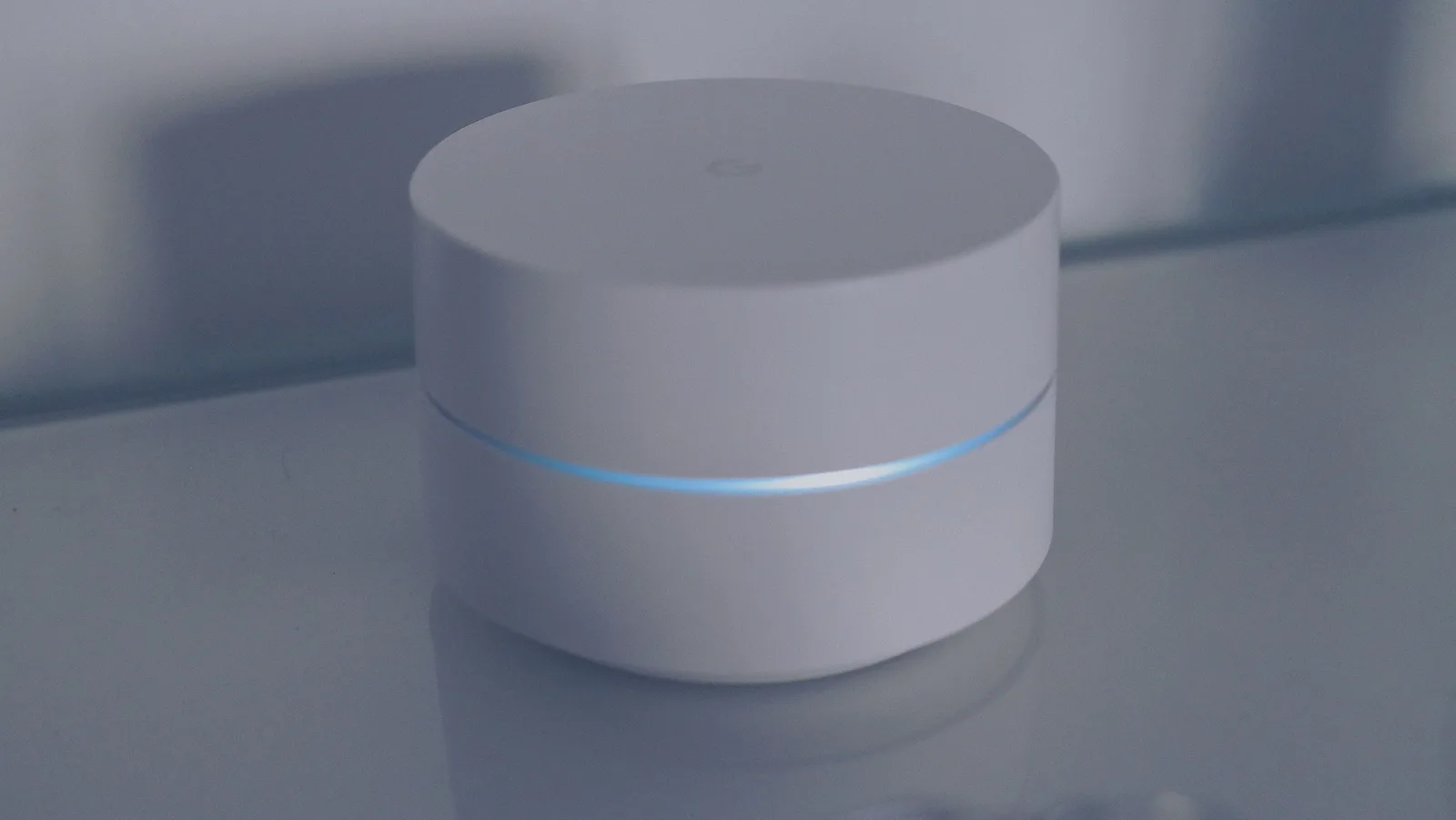
On eero a schedule covers everything on the network, and eero Plus, about $10 a month or $100 a year, adds content filtering. Netgear's Smart Parental Controls and the TP-Link Deco app do the same job, and Google Nest Wifi pauses a group for free.
OpenDNS FamilyShield and CleanBrowsing filter at the DNS level for nothing, which catches devices you cannot install anything on.
Left alone on purpose. Everything else. The parent removed the paid app controls the child had beaten, including the time limits sold by Qustodio and OurPact, which typically cost a few dollars a month, rather than escalating them, and said so.
What was said. You have shown me you can get past this, so the ones that do not matter are coming off. The one that does is about sleep, and it stays.
The cost. Pride, mostly. What it bought was an end to a contest the parent was going to lose, and a fourteen-year-old who stopped treating the whole configuration as a puzzle because most of it was gone.
Parental controls covers why escalation in this situation tends to fail.
What the six share
In each one, what was left off was chosen as deliberately as what was put on, and the child was told both. Nobody's configuration was the tightest available. Nobody's was silent.
In each case, the control did a job you could name in a sentence. If you cannot name the job, the honest move is to leave the control off until you can.
Controls cannot reach some things at all: cruelty in a group chat, a stranger who has become a friend, cyberbullying. For those, the pages to read instead are reporting resources.
Common questions
Which of the six is closest to a normal household?
None of them, because they were written to show a trade rather than to be typical. What generalises is the pattern: something switched on, something deliberately left alone, and a sentence said at the time.
Is it wrong to leave almost everything off?
Not if you can say why. A configuration of two controls that both have a stated job beats eight nobody can explain, and the explanation is what your child is actually responding to.
What do these tools actually cost?
Most of the controls in these six setups are free: Apple Screen Time, Google Family Link, Microsoft Family Safety, Find My and Google Maps location sharing. Paid family subscriptions typically run about $5 to $15 a month, or roughly $40 to $100 a year. Router add-ons such as eero Plus sit near $10 a month.
My partner wants more switched on than I do.
Settle it before the device is in front of your child. Two adults discovering a disagreement in the room hands the whole question to the person watching.
The fourteen-year-old in the last example got round everything. What was the fix?
Not a tighter setting. It was asking what they were trying to reach, and deciding which part of that was reasonable, which is a conversation rather than a configuration.
These are illustrations, not case histories. This page is general information for parents, not clinical or legal advice.